
Sonoff SNZB-01M Smart Wireless ZigBee Button
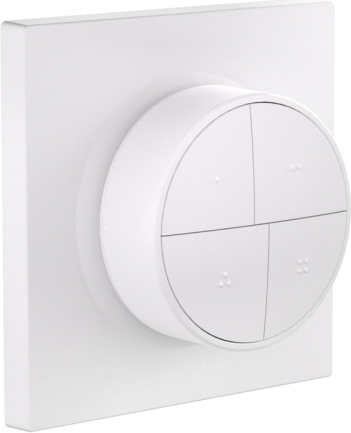
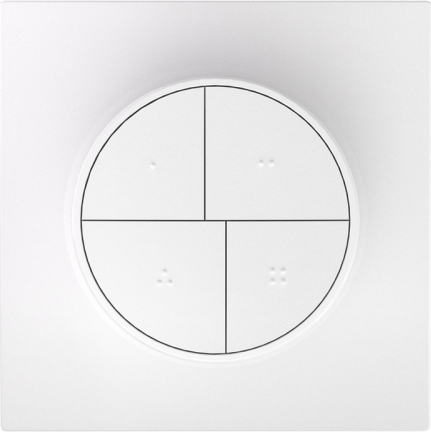
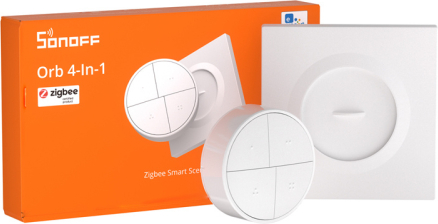


Sonoff SNZB-01M smart wireless ZigBee buttonThe Sonoff SNZB-01M is a sleek wireless button with four independent keys that offers advanced smart home control capabilities. With dual Zigbee and eWeLink-Remote protocols, you can manage lights, blinds, thermostats, outlets and entire scenes with a single touch. Each of the four buttons supports different types of presses (single, double, triple and hold) for a total of up to 16 different control actions. The TouchLink feature allows direct pairing with smart bulbs without the need for an app, and the magnetic mount allows the button to be placed anywhere with ease. The CR2477 battery provides up to 4 years of Zigbee operation, eliminating the need for frequent replacement. The compact, minimalist design (Φ50 × 22.5 mm) fits perfectly into modern interiors.
Dual communication protocolThe button works both in Zigbee network (requires Zigbee hub, such as ZBBridge-P, ZBBridge-U, NSPanel Pro, iHost or USB dongle) and in eWeLink-Remote mode (requires eWeLink-Remote gateway, such as M5 Stack, MINIR4, NSPanel, MINI-RBS and others). This versatility allows you to adapt the device to your existing smart home ecosystem or choose your preferred method of communication. Depending on the platform you choose, various features are available, such as OTA updates, battery level display and the ability to create bindings.
TouchLink - instant light bulb control without appsThe TouchLink function is a true revolution in ease of use. To pair a button with a smart bulb, simply bring the button up to 10 cm away from the bulb and hold down the corresponding key. Once paired, you can control the light directly - no need to configure it in the app. This is ideal for the elderly or children, who can easily turn the light on and off with a single press. Note: the availability of the TouchLink feature depends on the bulb model - check the specifications of your bulb before purchasing.
Four buttons, sixteen control optionsEach of the four buttons responds to four types of presses: single click, double click, triple click and hold. For example, you can configure one button so that a single click turns on the living room light, a double click turns on the lamp at 100%, a triple click starts the "Movie" scene, and a hold turns off all the lights in the house. Such capabilities give you almost unlimited control over devices and scenes in your smart home.
Bindings function - direct communication between devicesBindings is a function that allows you to directly bind a button to other Zigbee devices without involving a gateway or the cloud. This means instant response time and operation even when there is no internet connection. The button can directly control switches, light bulbs or other compatible Zigbee devices. The Bindings function is available in the Zigbee2MQTT and Home Assistant platforms (via Zigbee2MQTT).
Smart scenes at your fingertipsCreate personalized scenes tailored to your lifestyle. A single click can activate the "Leaving Home" scene, which turns off all lights, closes blinds and sets off the alarm. A long hold can activate the "Home Theater" scene, which will dim the lights, close the curtains and turn on the TV. You can also set push notifications on your smartphone at the press of a button, such as to remind you of a ready meal or an upcoming bedtime.
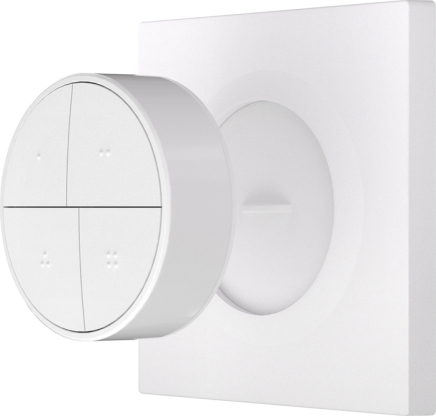
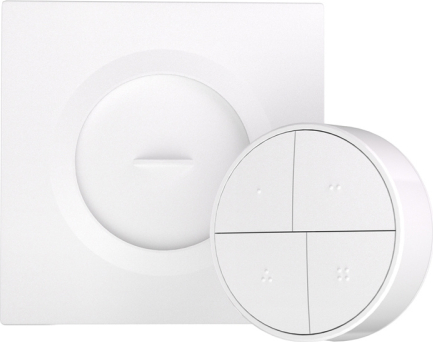
Magnetic mount and flexible installationIt comes with a magnetic base that you can mount in two ways - with VHB tape on smooth surfaces or screwed to standard flush-mounted boxes (86-Type or European round Φ60mm). The round button magnetically sticks to the base and can be easily removed to move to another location or change the battery. In addition, the button can be used with 3D printed parts, allowing for creative applications such as a night light or a standing switch.
Wide compatibility with smart home platformsThe SNZB-01M works with eWeLink, Smartthings, Home Assistant (via ZHA or Zigbee2MQTT), Zigbee2MQTT, and Alexa (account-based synchronization in the eWeLink app). Each platform offers a slightly different range of features - for example, triple-click is not supported in eWeLink-Remote mode, and Alexa supports only basic actions. Fans of open-source solutions will appreciate the full integration with Zigbee2MQTT and Home Assistant, which allows advanced automation without using the cloud.
Included:
| ||||||||||||||||




