
OBSBOT Tiny 3 Remote Combo
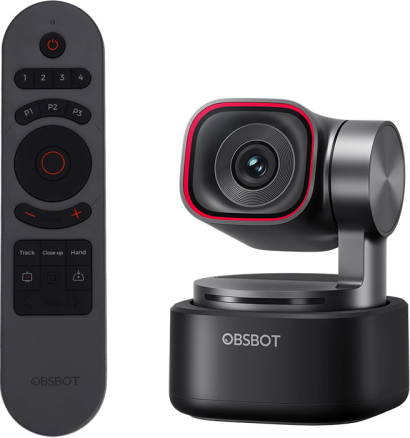
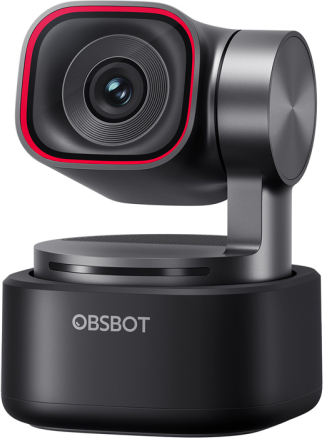
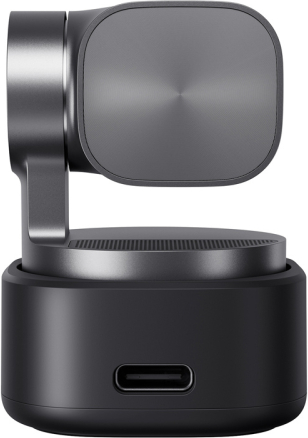
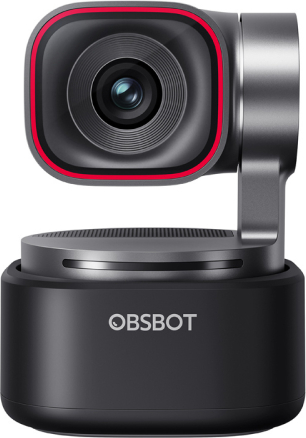
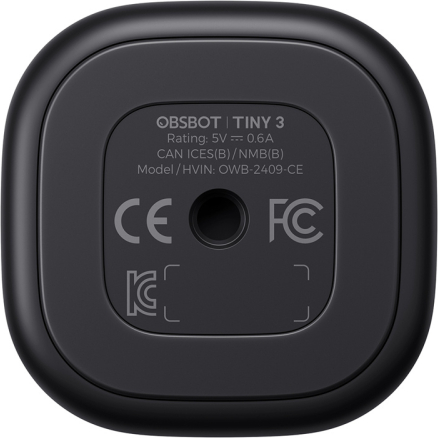


OBSBOT Tiny 3 Webcam with Remote Control (OBSBOT Tiny 3 Remote Combo)OBSBOT Tiny 3 is an advanced and extremely compact webcam designed for creators, streamers, online trainers, and remote professionals who expect more than just a static image from a classic webcam. It combines high-quality 4K image, smooth video, intelligent motion tracking, and an advanced audio system, automatically adjusting the frame and sound to what is happening in front of the lens. The use of AI Tracking 2.0 technology allows the camera to respond not only to movement, but also to the framing and position of the user in space. With a built-in gimbal, voice and gesture control, and flexible recording modes, Tiny 3 lets you focus on your presentation, conversation, or content creation without constantly adjusting settings or interrupting your work. The set includes the OBSBOT Tiny Smart Remote 2.
An image that looks professional in all conditionsThe OBSBOT Tiny 3 webcam is designed to deliver clear, natural images regardless of lighting conditions and usage scenarios. High quality is ensured by a large 1/1.28" CMOS sensor, which effectively reduces noise and improves image detail, especially in low light conditions. The device performs well in both bright offices and dimly lit rooms, preserving details, realistic colors, and appropriate contrast. The use of DCG HDR (Dual Conversion Gain HDR) technology allows you to preserve details in bright and dark areas of the image without the motion blur typical of classic HDR. Automatic white balance with adjustment ensures color consistency, and advanced Dual All-Pixel PDAF autofocus provides fast and accurate focusing even during dynamic movements or when presenting objects up close. A wide ISO range from 100 to 12,800 further increases flexibility in different lighting conditions.
Built-in gimbal – active motion trackingThanks to the built-in 2-axis gimbal, the OBSBOT Tiny 3 is not a static camera, but actively follows the user during recordings and online meetings. The horizontal rotation range of up to ±130° and the ability to tilt the lens from +32° to −60° allow the device to smoothly adjust the frame both when sitting and during standing presentations. The gimbal's high response speed ensures that movements are natural and smooth, resulting in a professional image. The tracking system uses AI Tracking 2.0 with Only Me mode, which accurately identifies the user and limits accidental switching of the camera to other people or objects in the frame. This feature will be particularly appreciated by trainers, teachers, streamers, and presenters who want to stay in the center of the frame without manually repositioning the camera.
Audio recording systemThe audio system used in the OBSBOT Tiny 3 uses an intelligent array of three microphones—one omnidirectional and two directional—to accurately capture voice and reduce ambient noise. The microphones are made using Silicon MEMS (Micro-Electro-Mechanical Systems) technology, which is used in professional audio equipment, ensuring consistent quality and high precision recordings. The camera offers several specialized recording modes, making it easy to tailor the sound to a specific application – from pure, unprocessed stereo recording in Pure Audio mode, to spatial sound supported by AI algorithms, to directional modes focused on the speaker. There are also Smart Omni Mode, designed for group meetings with 360° recording, and Dual-Directional Mode, which records sound from the front and rear while eliminating side noise.
Audio that doesn't disappointHigh-precision 24-bit sampling, a signal-to-noise ratio of 69 dB, and a frequency range of 50 Hz–20 kHz translate into clear, natural speech. In addition, the camera can be used with external audio devices, including the OBSBOT Vox SE wireless lapel microphone, allowing you to easily expand your setup with more advanced microphone solutions.
Hands-free controlVoice commands allow you to start and pause the camera, turn tracking on or off, adjust the zoom, and switch between saved frame positions without reaching for a mouse or keyboard. This solution is particularly useful during presentations, educational recordings, and streams, when smooth operation and continuity of recording are important. Voice control is complemented by gesture support, which allows you to point to an object to track and control the zoom in an intuitive and natural way. The AI system also supports automatic framing using Composition Lines and the Face Framing feature, which adjusts the frame to the direction in which the user's face is turned. The combination of both control methods allows the camera to respond to the user in real time and adapt to their way of working – there is no need to manually adjust the settings.
Precise framing and position savingEach frame in OBSBOT Tiny 3 can be precisely adjusted to the current work scenario and then saved for quick recall. The camera allows you to define your own positions, which include both the gimbal setting and the selected frame, allowing you to quickly switch between different shots – for example, a view of the face, a wider shot, or a frame focused on the desk or whiteboard. The Zone Tracking feature also allows you to specify zones where the camera should actively track the user and areas excluded from tracking (Non-Tracking Areas). Saved positions can be activated with voice commands without interrupting the recording or meeting. This solution significantly improves the conduct of presentations, online training, and live broadcasts, giving you full control over the image without the need to manually reposition the camera.
Smooth image and flexible recording modesThe smoothness of OBSBOT Tiny 3 recordings clearly sets it apart from classic webcams and makes the image look natural even with dynamic movements. The camera allows you to record very smooth video at a high frame rate, which translates into a clearer image during gestures, presentations, or live streams. During active tracking, the Auto Zoom function is available, which dynamically adjusts the zoom level, offering various framing styles such as close-up, upper body shot, or full body shot. Combined with the precise operation of the gimbal and stable framing, this allows you to achieve a professional effect without vibrations or jerks.
Compact design and ergonomicsThe Tiny 3 fits perfectly into a modern workstation without taking up valuable desk space. It weighs only 63 g, and the housing has been reduced in size compared to previous generations, making the camera even more compact and lighter by several dozen percent. The integrated gimbal is enclosed in a compact, sturdy body that maintains full stability while maintaining the elegant appearance of the device. This design makes it easy to position the camera in the optimal position for the user and to quickly move it between workstations – from a permanent office, through mobile setups for remote work, to configurations used for streaming or educational recordings.
Wide compatibility and quick start-upSeamless integration means that the OBSBOT Tiny 3 is ready to use almost immediately after connection. The camera works in plug & play mode and does not require the installation of additional drivers, so it can be quickly launched on Windows and macOS computers. Stable cooperation with popular video conferencing, streaming, and video recording applications allows you to use its full potential in your daily work without any obstacles. For more demanding settings, such as ultra-smooth video or high-quality recording, the device works best with modern computers equipped with powerful processors, ensuring stable operation and full responsiveness of smart features.
Dedicated software and customizationDedicated OBSBOT software allows you to take full advantage of the Tiny 3 camera and precisely tailor its performance to your own work style. From within the application, you can manage framing, save camera positions, adjust image parameters, and activate intelligent tracking and control features. The software allows you to manually adjust the gamma curve and precisely control the color balance (Red/Blue Gain). Support for NVIDIA Maxine technology introduces features such as Eye Contact, which maintains eye contact with the viewer, and Green Screen Enhancement, which improves the quality of background keying. Additional tools such as picture-in-picture (PiP) mode, built-in teleprompter, and RTC mode expand the camera's production capabilities. Advanced users will also appreciate the compatibility with Elgato Stream Deck controllers and support for SDK and OSC protocols.
Remote control and presenter in oneThe set includes the OBSBOT Tiny Smart Remote 2, which combines the functions of a remote camera control and a presenter. With a single device, you can manually control gimbal movement, zoom, and preset frame positions, as well as instantly activate key AI features such as person tracking, zoom mode, Desk Mode, and Hand Tracking. The remote also allows for convenient control of presentations, offering buttons for changing slides, full-screen mode, and a laser pointer, making it a practical tool for training sessions, lectures, and live presentations. Physical buttons and an ergonomic layout make camera and presentation operation intuitive even during dynamic presentations, without the need for a mouse, keyboard, or app.
Included:
General
Camera
White balance and color
Connectivity
Gimbal
Audio
Control
Power
System requirements
Operating conditions
| ||||||||||||||||||||||||||||||||||||||||||||||||||||||||||||||||||||||||||||||||||||




